

npm install @pinecall/webZero runtime dependencies. Browser-only (requires
RTCPeerConnectionandgetUserMedia).
What it does#
@pinecall/web/core is what the browser uses to talk to a Pinecall agent over WebRTC. It:
- Fetches a short-lived token from your backend (or the voice server, in convenience mode)
- Requests microphone access via
getUserMedia - Opens a peer connection to
voice.pinecall.io - Exposes the conversation as a reactive state object + an event stream
It does not render UI. For a drop-in React widget with an animated orb, use @pinecall/web (which is built on top of @pinecall/web/core).
Quick start#
import { VoiceSession } from "@pinecall/web/core";

const session = new VoiceSession({ agent: "mara" });

session.addEventListener("message", (e) => {
  console.log(`${e.detail.message.role}: ${e.detail.message.text}`);
});

await session.connect();

// later
session.disconnect();
That's it. The session manages the connection lifecycle, mic, and transcript. You get a stream of structured events you can wire into any UI.
How it fits with the other packages#
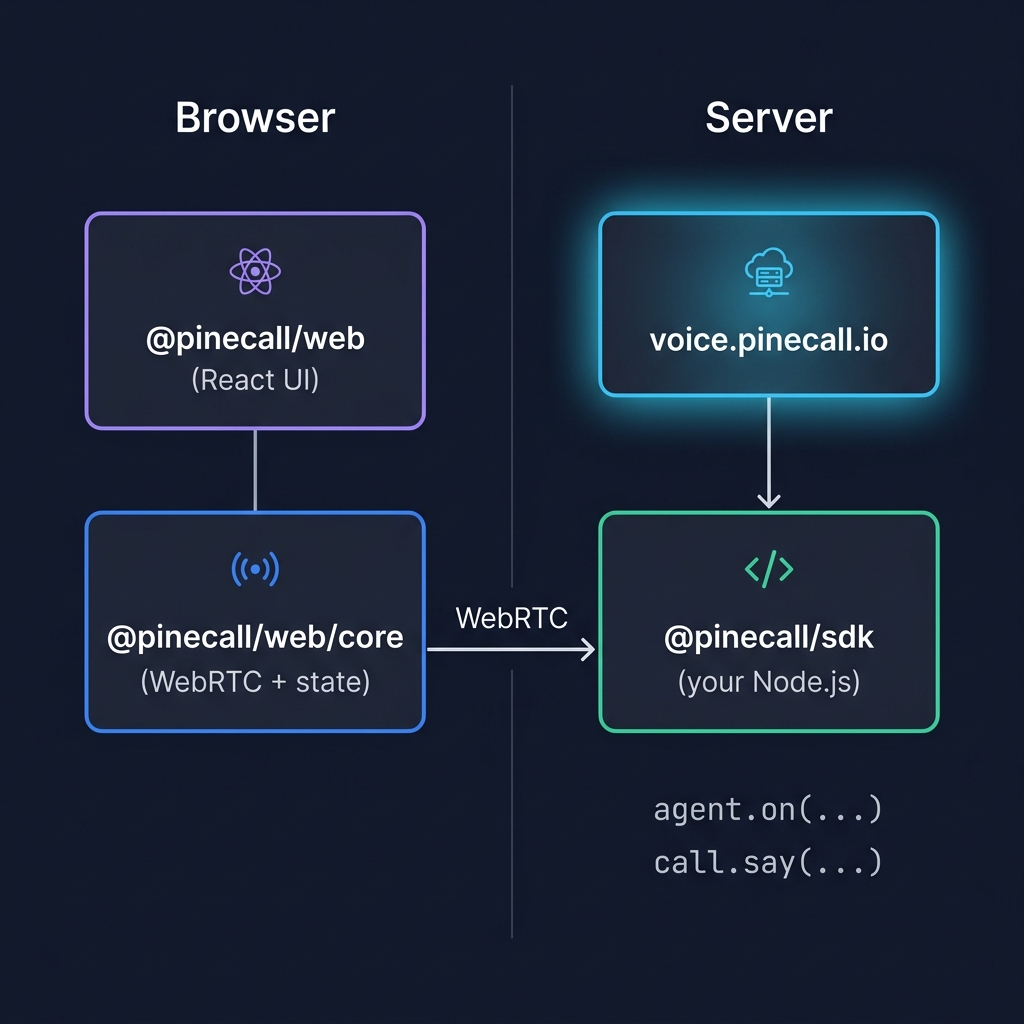
- You write: agent logic in Node.js with
@pinecall/sdk - You drop in:
@pinecall/web/core(or@pinecall/web) in the browser - The voice server: handles the audio pipeline (STT, LLM, TTS, VAD) and forwards events both ways
Two interfaces: state + events#
@pinecall/web/core exposes the session two ways. Use whichever fits your framework:
| Style | API | Best for |
|---|---|---|
| Reactive state | session.subscribe(cb) + session.getState() | React's useSyncExternalStore, Vue's ref, Svelte stores |
| Event listeners | session.addEventListener("message" | "phase" | "event" | ...) | Vanilla JS, imperative code, observability |
You can mix them in the same app — they share the same underlying state machine.
What's next#
VoiceSessionclass — constructor, methods, options- State, phases, and transcripts — the reactive state model
- DataChannel protocol — every event the server emits
@pinecall/web— the React widget built on@pinecall/web/core